
How to set ticket prices and capacity
On this page
Administration: changes to an existing event.
Set clear ticket variants, prices and availability. Your limits must match what you can actually sell.
Before you begin
You need a form and permission to edit its offer. Prepare variant names, prices, currencies and quantities. Decide which variants share the same physical capacity.
Prepare products and prices
Open the form offer
A product type groups related choices, such as admission or dinner. A product is one priced choice, such as standard admission or a vegetarian dinner.Open products in the app
Add the choices
Use Add Product Type and Add Product. Enter a clear name, price and currency. A zero price means a free option, not zero availability.
Check selection rules
Choose whether selection is required and whether multiple choices are allowed. Enable Show only for options you want to offer. Check any preselected choice.
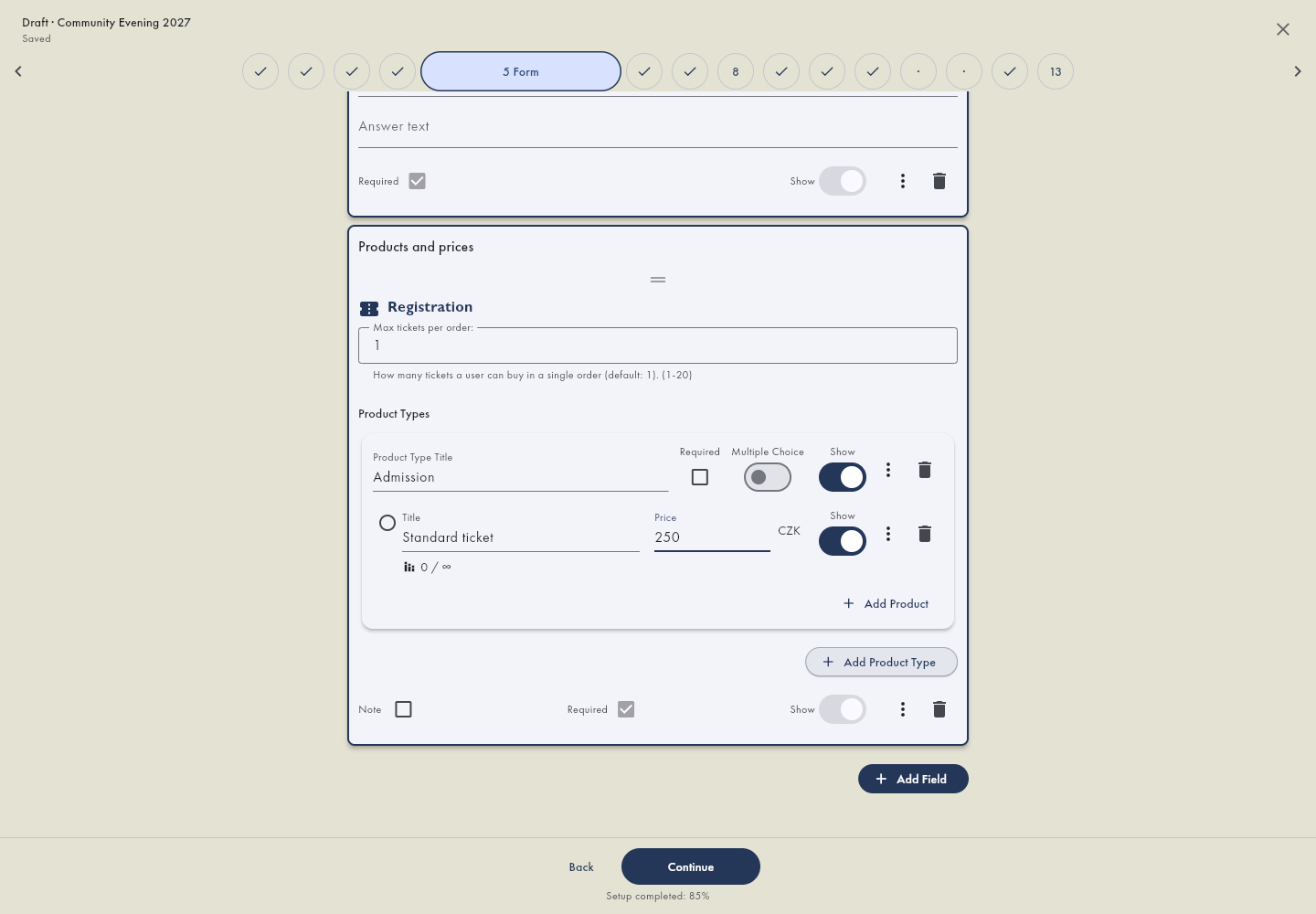
Set the available quantity
Set a quantity or capacity for limited products. Where the field explicitly says that zero means unlimited, do not use zero to close sales; use visibility or availability instead. Do not apply this rule to a standing area's seat count.
When different price variants consume the same stock, put them in the same capacity group. Two separate limits of 100 do not create one shared limit of 100. For assigned seating, also check each seat's product binding.
Changes during sales
Save price or availability changes and check the public form. Changing the offer does not automatically rewrite existing order prices. Open the existing order detail, choose Tickets and places and edit the item. Recheck the balance. Use scheduled price changes only when a change is intended for a specific future time. For an existing purchase, follow changing an order.Open orders in the app
Verify the result
Check every visible option, currency and total in a private window. Availability can depend on the sales period, shared capacity and current holds. Check existing reservations before increasing limits to resolve an unavailable option. Check the sales period and availability in Forms.Open forms in the app