
Set up the organizer receiving account
On this page
Organizer settings: bank accounts outside the event wizard.
Manage the receiving account at organizer level. Creating a bank account, connecting it to the bank and checking which account a form uses are separate tasks.
Who can manage the account?
Sign in to administration and open the correct organizer unit. Creating an account requires unit manager permission. Managing an existing account requires both account administrator permission and management access to a unit actually linked to it. Ask the responsible manager if the section is unavailable.
Create or link an account
Open Bank Accounts
Choose Bank Accounts in organizer administration. This is separate from an individual event's Settings tab.Open organizer bank accounts
Choose the operation
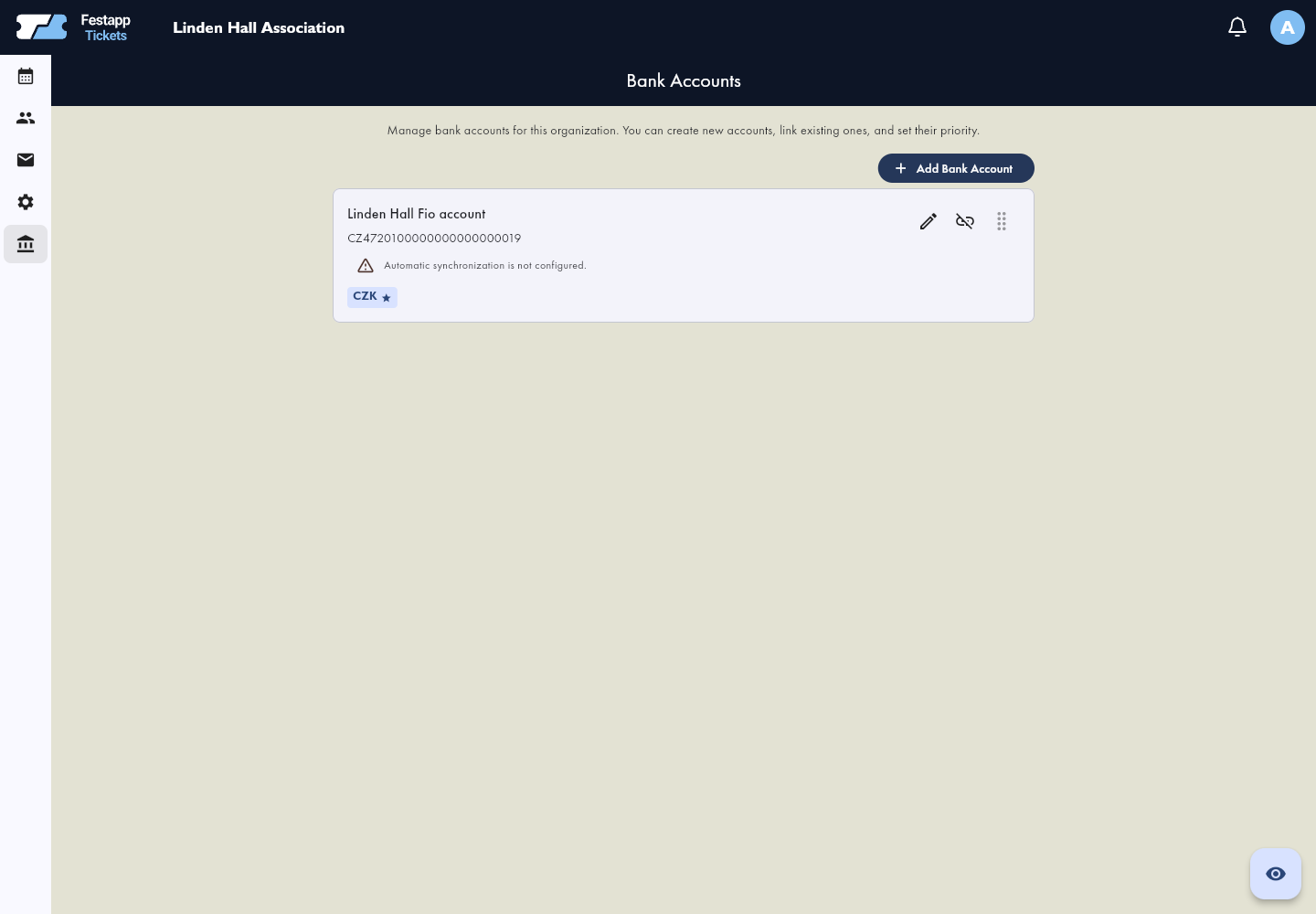
Select Add Bank Account. Use Create New Account for a new account record, or Link Existing Account when you already have the required access. Avoid duplicate records of the same account.
Enter general details
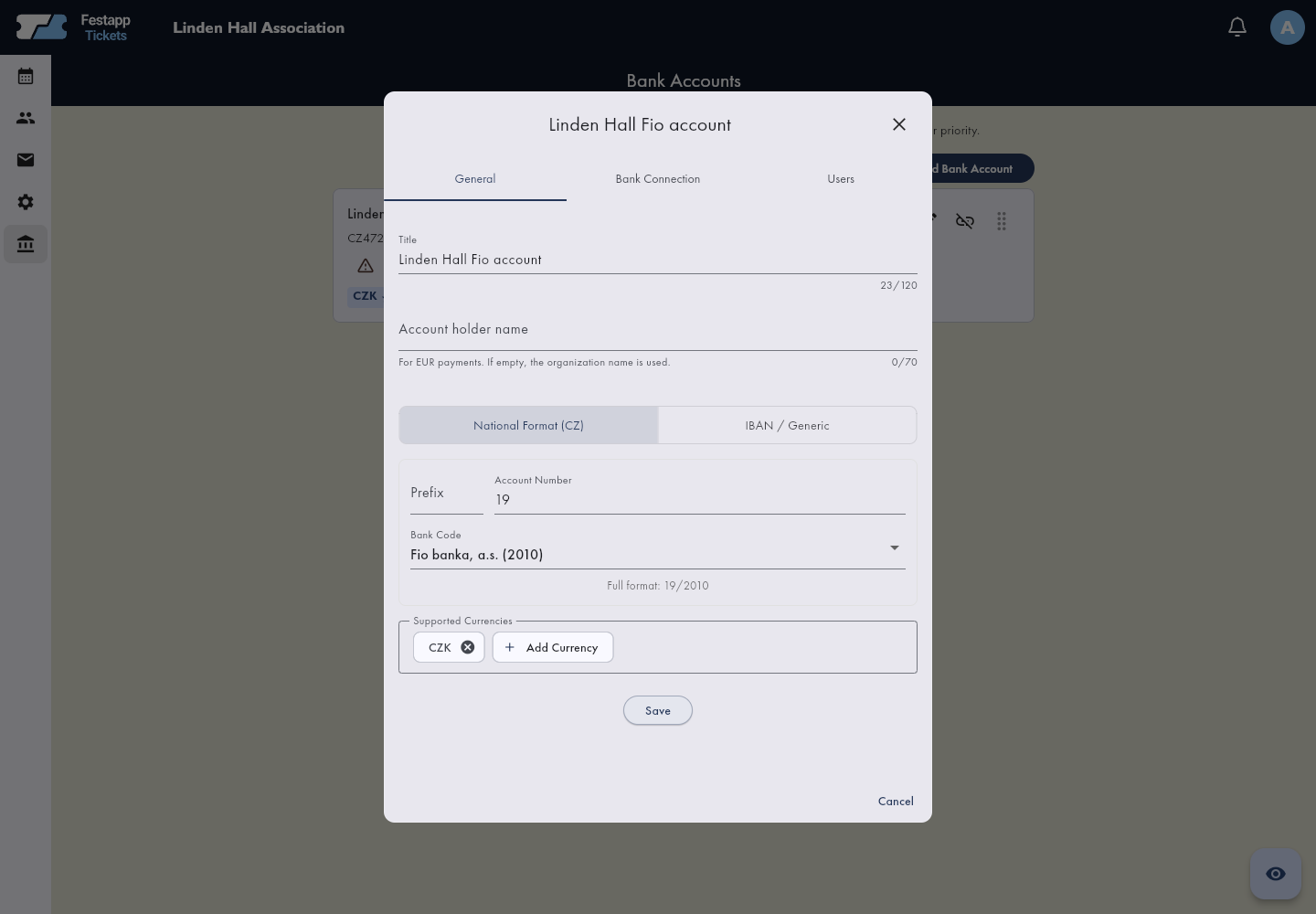
On General, check the label, account number or IBAN, supported currencies and beneficiary name used in payment instructions. These are account details, not credentials for signing in to your bank.
Save and check the list
Verify the saved identity and currencies. Account priority affects currency routing; check which account is primary and which ones are backups.
Connect the bank separately
An account in the list does not prove that transactions are being imported. Open its bank connection. For Fio, follow the API token guide. Where supported, configure incoming-payment email notifications using the receiving address shown for this account and check connection status.
Save the token only in the matching bank account's connection settings. It does not belong in a public form, order note or event setup wizard.
Check the account used for sales
For a new event, select the prepared account in the wizard. Existing forms automatically use the first organizer account supporting each currency. Change the priority and supported currencies in Bank Accounts, then check the form's payment settings. Verify the account and currency in the buyer's payment instructions before sharing the form. For an existing event, open its form and Settings → Payment Details.Open forms in the app
When the real account changes
Create a separate record for a different physical account and use it for future sales. Do not reassign historical bank transactions by replacing a connected account's identity. Unlinking an account from a unit does not delete the account, resolve existing orders or refund money.
Find a transfer with an incorrect reference
Follow manual payment matching. You need bank transaction management and event order editing permissions.